One-tab checkout
Step 3 in detail: keep the Starlink order in one browser tab
In our reading of starlink.com, the referral isn’t saved to an account or a cookie. It rides along in one tab from the click to payment. Here is what keeps it there, and how to tell before you pay.
What we found (not a published Starlink rule)
Our reading, from the code behind starlink.com’s pages (checked Oct 21, 2026): that one tab’s session storage holds the referral, and closing the tab wipes itour reading[S]. We looked without placing an order, and Starlink’s terms never mention it, so to be safe, pay in that same launched tab. On the same date, no field turned up anywhere in the order flow for typing a referral code laterour reading[S].
Moves that keep the referral
- Staying put in the tab that the link launched, address box to payment.
- Reloading that tab, or clicking around inside it.
- Clicking the referral link again: the new tab picks it up from its own web address.
Moves that lose it
- Closing the tab, then typing starlink.com later or using a bookmark.
- Moving to another browser, another device or the Starlink app.
- Opening a different referral link afterwards: the newer one takes over.
- Signing in as an existing Starlink customer: existing and returning customers land in the shop rather than the new-customer order, and anyone who has held a Starlink account before, current or past, is excluded[H].
What the panel beside Checkout says
Before paying, look right next to the Checkout button:
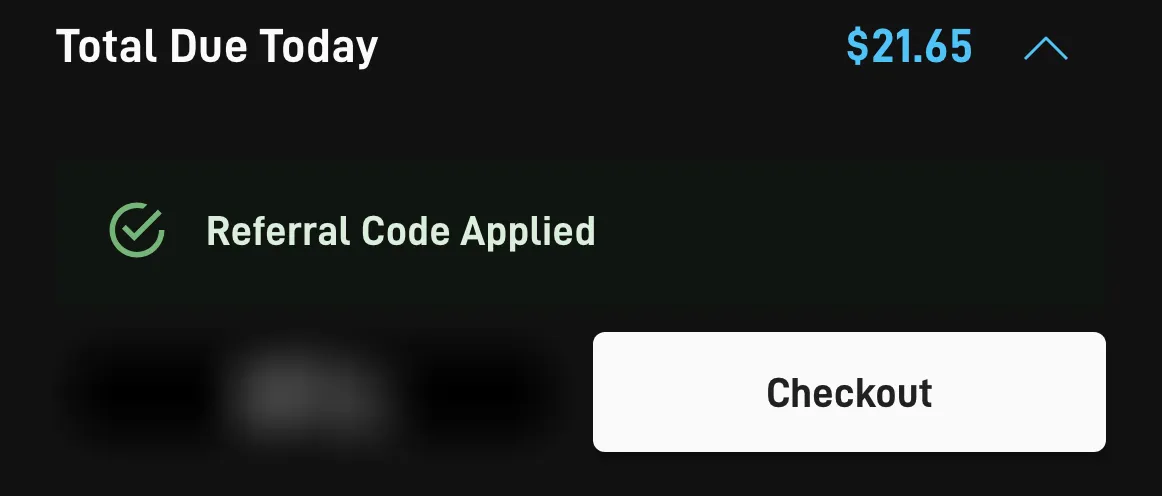
- “Referral Code Applied[S]” means this order carries the referral. Carry on.
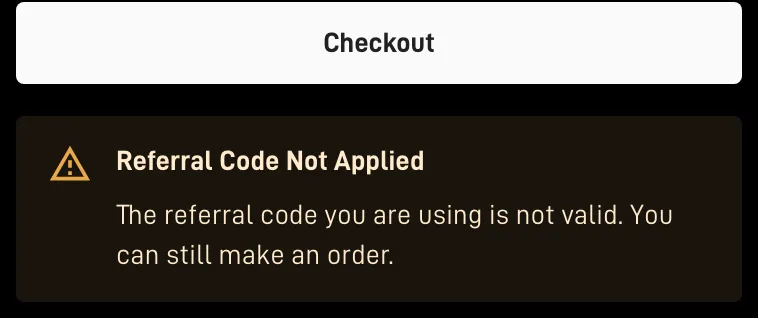
- “Referral Code Not Applied[S]” comes with a reason. Two reasons we found in starlink.com’s code: a note that the code isn’t valid, while the order itself can still go ahead[S], and a note that the referral doesn’t cover this order type, so the order goes through with no reward[S]. Either way, this order earns no reward.
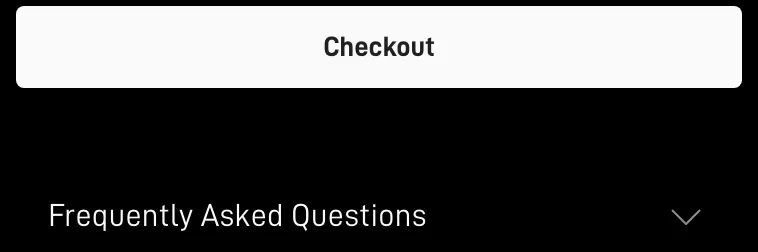
- No panel at all between Checkout and the questions below it means no referral is attached.
No green panel: redo it before paying
- Leave this tab unpaid.
- Return here and click the referral link again, in the browser you’ll pay in.
- Redo the address and plan in the new tab, then look for the green panel.
- Still “Not Applied”? Read the reason: the order type or plan may sit outside the referral.
Paid already, with no referral?
Then it can’t be attached: a referral missing at the time of the order can’t be attached later[H]. That is Starlink’s rule, and support can’t override it. Keep Starlink if it suits you; just leave the referral credit out of your sums for this order.
Questions at this step
Is the referral saved for 30 days, like a cookie?
Not as far as we could see. Our pass through the code on Oct 21, 2026 found that that one tab’s session storage holds the referral, and closing the tab wipes it. We found no cookie or other storage that outlives the tab.
Can I click the link on my phone and finish on my laptop?
Not with the referral intact: it stays in the phone’s tab. Click the link on the device, and in the browser, you will pay with.
I clicked two different referral links. Which one counts?
The later click replaces the earlier one in that tab, so only the link you opened last before paying is attached.
Once I’ve paid, can support attach a referral?
No. Starlink says a referral missing at the time of the order can’t be attached later.
Where do these facts come from?
- starlink.com page code for referral handling (looked up, nothing ordered), checked Oct 21, 2026
- Help center: the referral program article, checked Nov 3, 2026
Markers: [T] referral terms, [ToS] terms of service, [H] help center, [S] starlink.com pages or code.