Order screens
Every starlink.com order screen, from address box to Checkout
Six screens sit between the address box and payment. Here is each one as it looked on Oct 30, 2026, what it asks for, and what to check before moving on.
Short answer
A starlink.com order, as captured on Oct 30, 2026, runs through six screens: starlink.com opened from the referral link, the address box, plan cards priced for that address, the order summary with the total due today, the panel beside Checkout that should read “Referral Code Applied” in green, and payment in that same tab. The first month of service isn’t in that total; it bills later.
Unsure whether the referral applies, or which plan type you need? Run the 7-question fit check and the prep list first: a referral can’t be fixed once you’ve paid.
What does screen 1 look like after you click the link?
Click an order button once you’re set to buy. A fresh tab loads starlink.com, the referral riding in its web address; check the address bar reads starlink.com. Some visitors see a green banner on the home page. Most see nothing until the order page, which is normal.
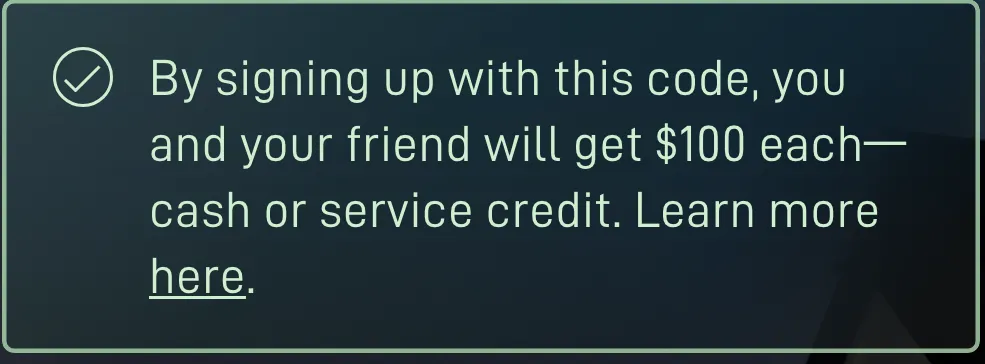
From this screen on, stay put. What the checkout code showed us on Oct 21, 2026: that one tab’s session storage holds the referral, and closing the tab wipes itour reading[S]. That comes from our own look, not from Starlink’s terms.
Where do you enter your address when ordering Starlink?
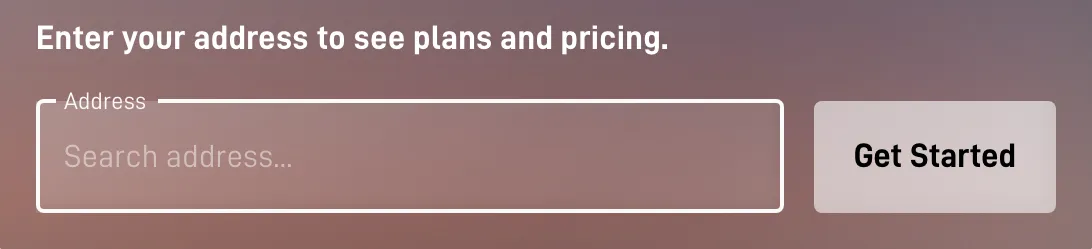
On the first starlink.com screen, in the box that asks for an address to show plans and pricing, as captured Oct 30, 2026. Type the street address where the dish will be mounted; it has to sit in a US state or DC. Starlink uses it to check availability and price your plans: Residential plans and your own price appear on starlink.com once a service address is typed in, and prices vary by address[S].
How do you pick the plan and kit on screen 3?
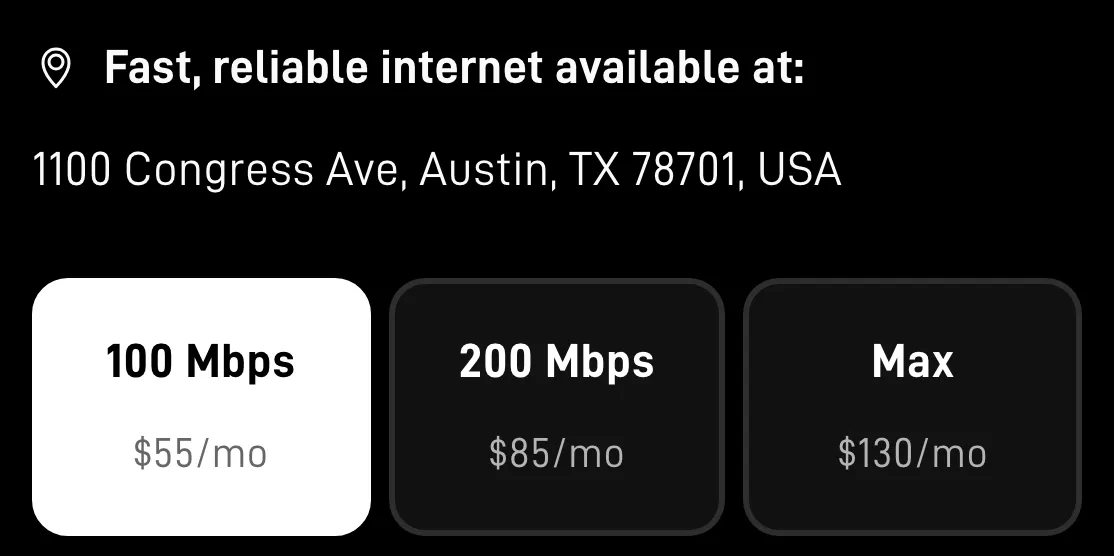
Residential plans are for a fixed home; Roam plans are for travel and RVs. Each of these carries the referral reward: all three Roam plans (100GB, 300GB, Unlimited) and the Residential tiers (100 Mbps, 200 Mbps, Max), plus legacy Residential and Residential Lite[H].
Your address sets your price. As a reference point, with no address typed in, Starlink’s national US order list read Nov 3, 2026 had Residential 100 Mbps at $49.50, 200 Mbps at $76.50 and Max at $143 a month; your address may price differently[S]; the same list had Roam 100GB at $55, Roam 300GB at $80 and Roam Unlimited at $175 a month[S].
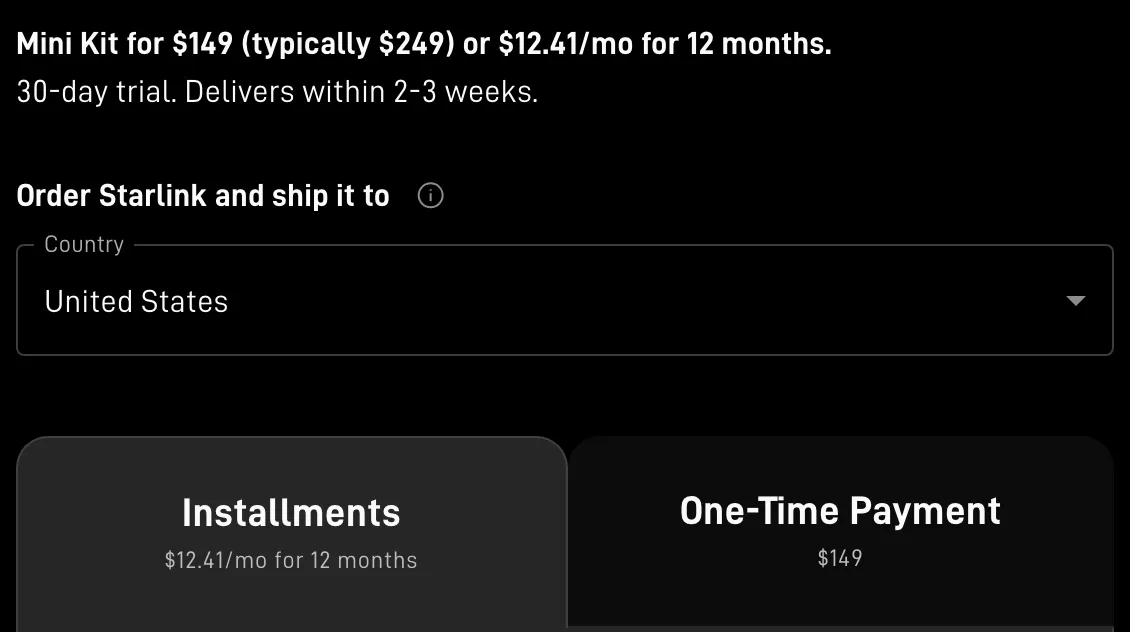
The kit: buying the hardware costs $349 for a Standard kit or $149 for a Mini; where an address is offered a rental instead, the one-time activation fee on that list was $0, $99 or $199[S]. On rentals, the referral terms require buying the kit and plan straight from starlink.com, and Starlink has not said whether renting the kit meets thatunverified[T].
What does the Starlink order summary show?
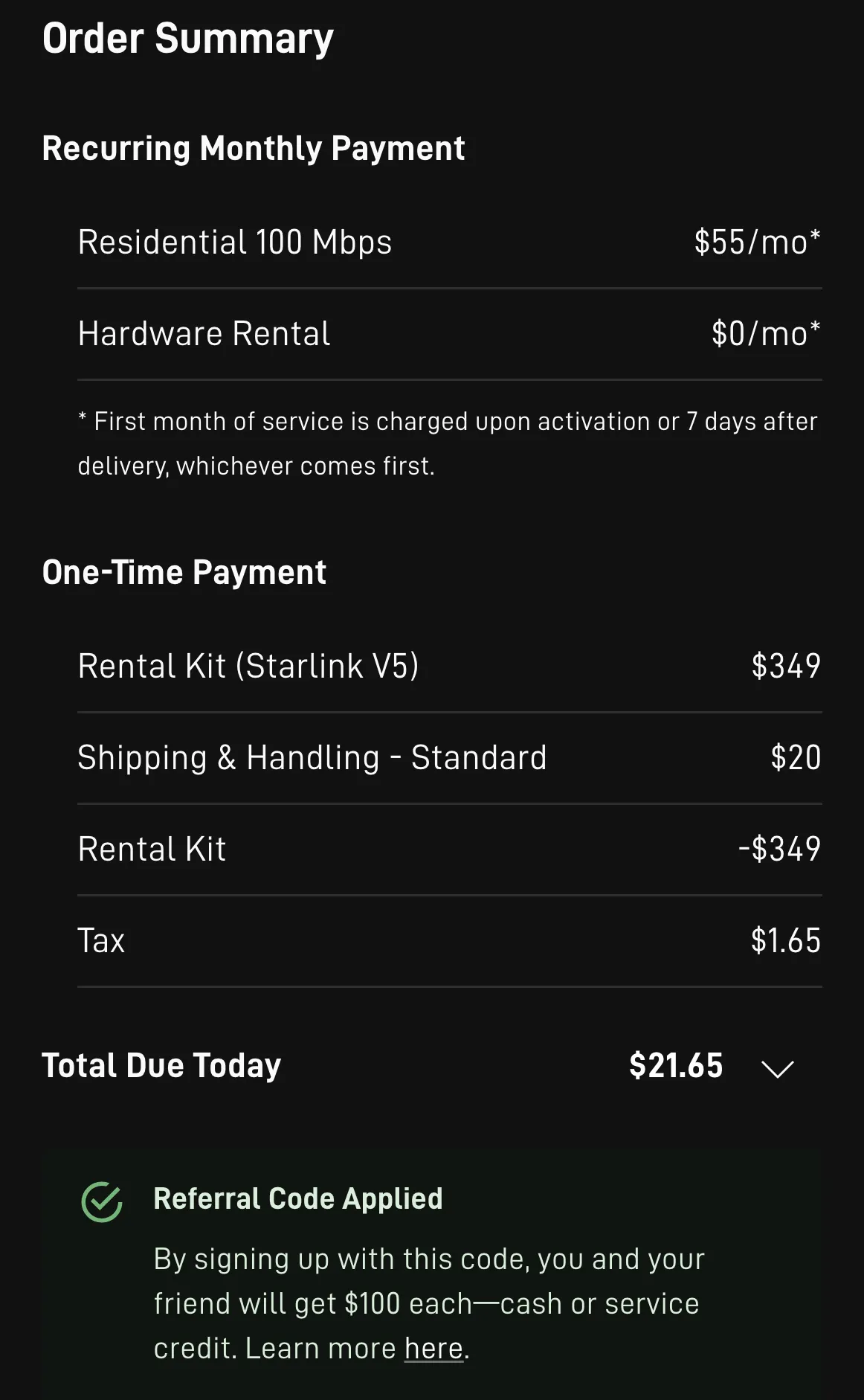
On the Oct 30, 2026 screens, the summary lists the monthly plan apart from one-time charges: the kit or a rental’s activation fee, shipping, tax and, in busy areas, a demand surcharge, ending in a “total due today”. That total leaves out the first month of service, which bills later. Near that total sit the Checkout button and the referral panel.
- The first month bills later. Billing for service starts on whichever comes first: activation day, one week after delivery, or 30 days from shipping when no delivery date is on record[ToS].
- One-time charges can stack up. Shipping and tax, and busy coverage areas can add a one-time demand surcharge, which shows up in the order summary[H].
How do you know the referral is attached before you pay?
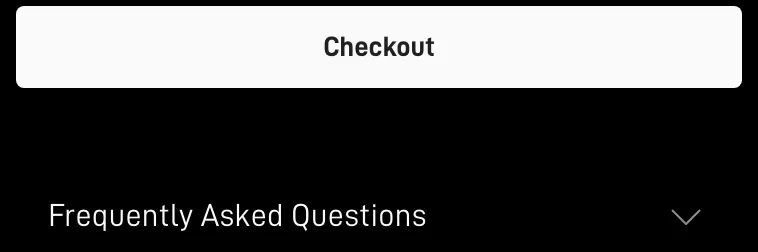
Look by the Checkout button: underneath on a computer, directly over it on a phone. On the screens we captured on Oct 30, 2026, a green panel reading “Referral Code Applied” confirmed the referral. An amber panel saying “Referral Code Not Applied”, or an empty gap between Checkout and the questions under it, means the order has no referral yet, so stop before paying.
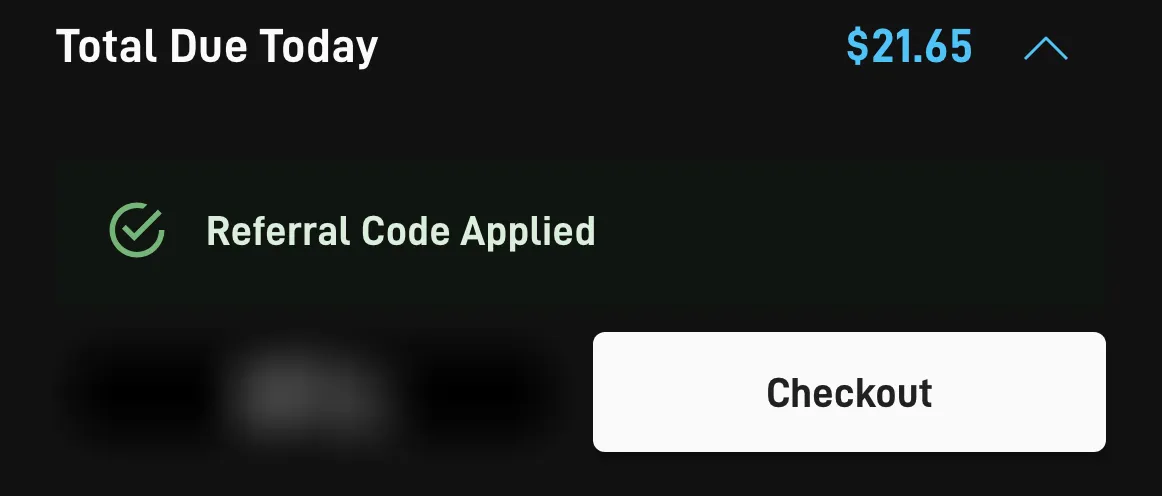
Missing? Hold the payment: a referral missing at the time of the order can’t be attached later[H]. Go back, click the referral link again in the same browser, and redo the order in the new tab. Each checkout message, explained.
Where do you pay, and what comes after?
Pay on starlink.com as normal. The invoices start after that: Starlink’s terms say the $100 is placed on the second monthly invoice for your subscription[T], and its help center calls it possible from day 60 after activation at the earliest, subject to account settings and an identity check[H]. Delivery, activation and invoice dates.
Questions at this step
Can I finish the Starlink order in one sitting?
Yes, if three things are settled first: the plan type (Residential for a fixed home, Roam for travel), whether you will buy or rent the kit where both are offered, and the payment card you will use. The kit ships after payment, and starlink.com shows the expected delivery. One sitting also keeps you inside the single tab the referral link opened.
Can I order Starlink on my phone?
Yes. Do it in Safari, Chrome or another phone browser and skip the Starlink app; the order screens carry the same steps as on a computer. One layout difference: on a phone, “Referral Code Applied” shows in a green panel directly over the Checkout button, while on a computer it shows underneath. Our screenshots from Oct 30, 2026 show both layouts.
Why does my price differ from the screenshots?
Because Starlink prices by address: Residential plans and your own price appear on starlink.com once a service address is typed in, and prices vary by address. Our plan screenshot shows one Texas test address on Oct 30, 2026. For comparison, with no address typed in, Starlink’s national US order list read Nov 3, 2026 had Residential 100 Mbps at $49.50, 200 Mbps at $76.50 and Max at $143 a month; your address may price differently.
Where do these facts come from?
- starlink.com national order list, no address entered (looked up, nothing ordered), checked Nov 3, 2026
- Help center: the demand surcharge, checked Nov 3, 2026
- US terms of service, checked Nov 3, 2026
- Help center: the referral program article, checked Nov 3, 2026
- starlink.com page code for referral handling (looked up, nothing ordered), checked Oct 21, 2026
- US referral terms (Oct 7, 2026 version), checked Nov 3, 2026
Markers: [T] referral terms, [ToS] terms of service, [H] help center, [S] starlink.com pages or code.